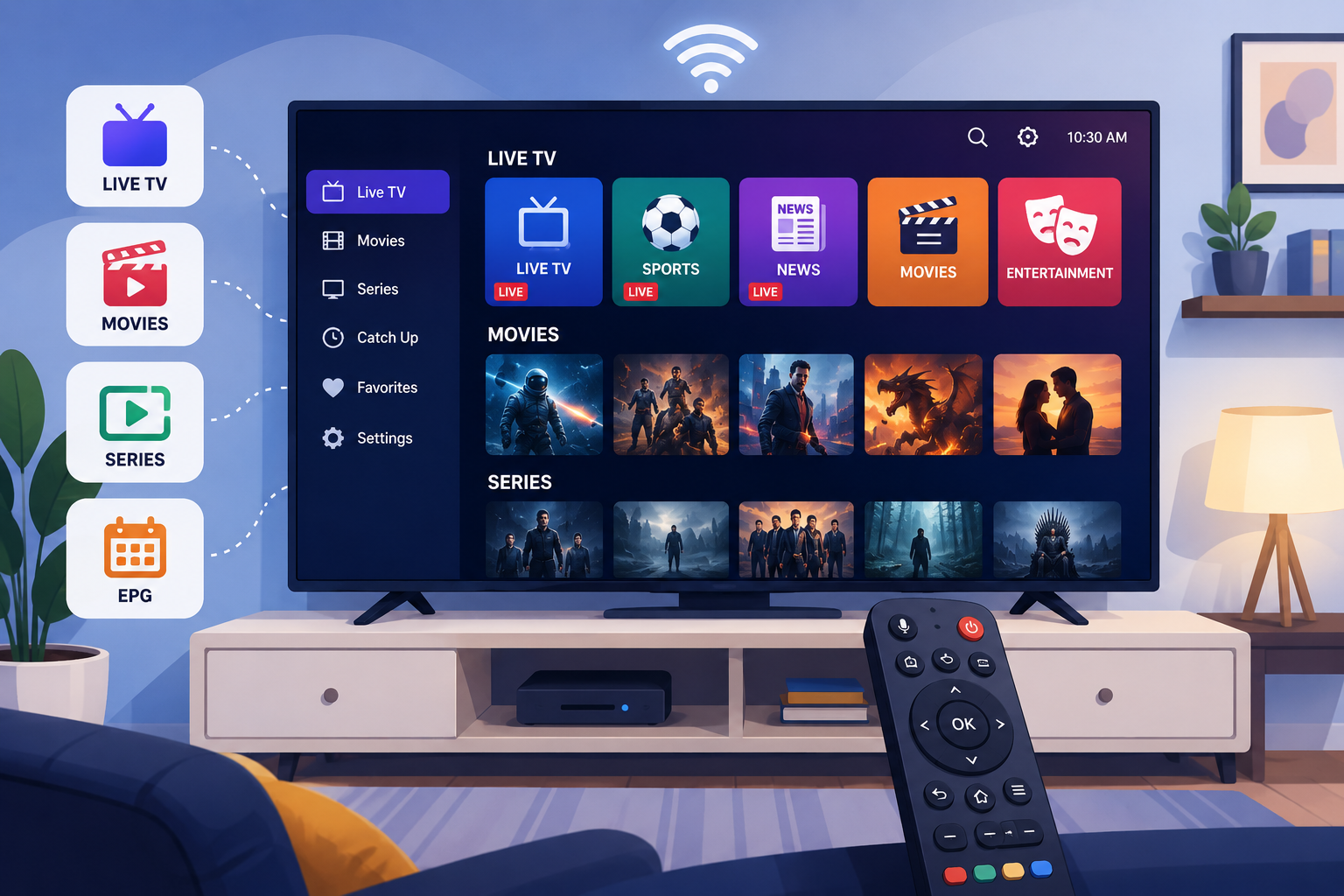
Best IPTV Apps for Smart TVs in The USA
Smart TVs have changed the way people watch television in the United States. Instead of relying entirely on cable boxes or satellite receivers, viewers can now install IPTV apps for Smart TVs directly on their television and access live channels, movies, series, sports, and other entertainment through an internet connection.
For IPTV users, choosing the right application is an important part of the experience. Even a reliable service can feel slow or difficult to navigate when paired with a poorly designed player. The best IPTV apps for Smart TVs in the USAshould offer smooth navigation, support common login methods, provide a useful electronic program guide, and work well with a standard TV remote.
However, not every IPTV player is available on every Smart TV. Samsung televisions generally use Tizen, LG televisions use webOS, while Sony, TCL, Hisense, and many other brands may use Google TV, Android TV, Roku TV, or another operating system.
This guide compares some of the best IPTV apps for Smart TVs in the USA and explains which option may be best for your television and viewing habits.
What Is an IPTV App?
An IPTV application is a media player that allows you to load television content supplied by an IPTV service.
In most cases, the application itself does not include live television channels. Instead, you connect the player to your account using information provided by your service.
Common connection methods include:
- Xtream Codes
- M3U playlists
- Portal URLs
- Device IDs
- MAC addresses
- Activation codes
Once connected, the player organizes your content into categories such as live television, movies, series, favorites, and electronic program guides.
To use these applications, you will normally need an active IPTV Subscription In The USA that is compatible with your preferred player.
Best IPTV Apps for Smart TVs in the USA
The best app depends on the operating system inside your television. Some players are particularly strong on Android TV, while others are designed for Samsung or LG Smart TVs.
Here are some of the most popular options to consider.
1. IPTV Smarters Pro
IPTV Smarters Pro remains one of the most familiar IPTV players for users who want an interface that is easy to understand.
Its home screen normally organizes content into clear categories, including:
- Live TV
- Movies
- Series
- EPG
- Favorites
The application commonly supports both Xtream Codes and M3U playlists, making it compatible with many different account formats.
One reason IPTV Smarters Pro is popular among Smart TV users is its straightforward design. You do not need extensive technical knowledge to understand where your channels, movies, and series are located.
Best for
IPTV Smarters Pro is a good option for beginners, families, and viewers who want a simple interface without spending too much time adjusting advanced settings.
Main advantages
- Easy navigation
- Live TV and VOD sections
- EPG support
- Favorites
- Parental controls
- Multiple login methods
- TV-friendly interface
Availability can vary depending on your television brand and app store, so always check your Smart TV directly.
2. TiviMate
TiviMate is one of the strongest IPTV players for viewers who mainly watch live television.
Its interface resembles a traditional cable TV guide, making it easy to browse channels and see what is currently playing.
The electronic program guide is one of TiviMate’s biggest strengths. Instead of opening channels individually, viewers can move through schedules using a familiar grid layout.
TiviMate also provides extensive customization options.
Depending on the version, features can include:
- Favorites
- Multiple playlists
- Channel organization
- Catch-up support
- Recording
- Search
- Custom groups
- Parental controls
- Multi-view
Best for
TiviMate is ideal for users who watch live television frequently and want a polished EPG experience.
It is particularly popular on Android TV and Google TV devices. If your Smart TV uses another operating system, TiviMate may not appear in the television’s application store.
In that situation, an external Android TV or Google TV streaming device can provide access to a wider range of IPTV applications.
3. XCIPTV Player
XCIPTV offers a balance between simplicity and advanced functionality.
The application generally provides separate sections for television, VOD, series, favorites, catch-up, and the EPG.
One useful feature is its support for different playback engines. Some video streams may perform better with one player than another, so having alternative playback options can help resolve certain compatibility problems.
Best for
XCIPTV is a good choice for viewers who want more flexibility than a very basic player but do not want an overly complicated interface.
Main advantages
- Clean TV interface
- EPG integration
- VOD and series sections
- Favorites
- Catch-up support when supplied
- Multiple playback options
The appearance of XCIPTV may differ between versions because some IPTV services offer customized editions of the application.
4. IBO Player Pro
IBO Player Pro takes a slightly different approach.
Rather than entering long subscription information directly with your television remote, some versions allow the user to manage playlists through an activation website.
The application displays information such as a device identifier or MAC address. The user can then enter that information on the player portal using a phone or computer.
After uploading the playlist, the application is refreshed on the television.
This can be much easier than typing a long M3U URL character by character with a remote.
Best for
IBO Player Pro is particularly useful for Samsung and LG Smart TV users who want a lightweight player with straightforward playlist management.
Main advantages
- Simple interface
- Easy playlist management
- Good Smart TV navigation
- Live TV and VOD sections
- Device-based activation
- Suitable for large screens
Remember that the application activation fee and the IPTV subscription are normally separate.
5. SmartOne IPTV
SmartOne IPTV is another option designed with Smart TV users in mind.
It focuses on playlist-based streaming and provides an interface designed for television screens rather than smartphones.
Users can generally organize live television, movies, and other content directly through the application.
Like IBO Player, SmartOne IPTV may use device-based playlist management, meaning users can configure their account from another device rather than typing everything with their television remote.
Best for
SmartOne IPTV can be useful for Samsung and LG TV owners who prefer a straightforward dedicated Smart TV player.
Before paying for an activation, test the application and make sure it supports the playlist format provided by your service.
Samsung Smart TV: Which IPTV App Should You Choose?
Samsung Smart TVs typically use the Tizen operating system.
That matters because Android APK applications cannot normally be installed directly on a Samsung television.
Instead, you need an application available through Samsung’s Smart Hub.
Players such as IBO Player Pro, SmartOne IPTV, or other playlist-based Smart TV applications may be available depending on your model and region.
To install an application:
- Press the Home button on your Samsung remote.
- Open Apps.
- Select Search.
- Enter the application name.
- Select the correct result.
- Choose Install.
- Open the application.
- Add the playlist or activation information supplied by your service.
If a specific IPTV player does not appear, it may not support your television model or may not currently be available in your regional app store.
LG Smart TV: Best IPTV Apps for smart Tvs
Most modern LG Smart TVs use webOS.
Like Samsung televisions, LG TVs do not normally operate like Android devices. Applications must generally be installed from the LG Content Store.
Search the application store for available IPTV players and verify the supported login method before paying for a licence.
IBO-style players and other M3U playlist applications are commonly designed for this type of Smart TV environment.
If your preferred player is unavailable, an external Fire TV, Google TV, or Android TV device may provide more flexibility.
Android TV and Google TV
Smart televisions from brands such as Sony, TCL, Hisense, and Philips may use Android TV or Google TV.
These systems generally offer one of the widest selections of IPTV applications.
Users may have access to players such as:
- TiviMate
- IPTV Smarters
- XCIPTV
- Other Android-compatible IPTV players
The Google Play Store makes application installation relatively simple.
Android TV is particularly attractive for advanced IPTV users because it provides more customization than many closed Smart TV operating systems.
Which IPTV App Has the Best EPG?
If your priority is live television, TiviMate is one of the strongest options.
Its interface is built around channel navigation and the electronic program guide.
A good EPG allows you to see:
- What is currently playing
- Upcoming programs
- Program start and finish times
- Channel categories
- Program information
However, remember that the application cannot create accurate program information if your IPTV service does not provide a properly configured EPG.
Do IPTV Apps Include Channels?
Usually, no.
This is one of the most common misunderstandings among new users.
An IPTV player and an IPTV service are separate products.
Installing an app such as TiviMate, IPTV Smarters, or IBO Player does not automatically provide access to television channels.
You need account credentials supplied by an IPTV Provider.
The provider determines which channels, movies, series, and other content are associated with your account.
The player simply displays that content.
How to Choose the Best IPTV Apps for Smart TVs
Before selecting an application, consider several factors.
Smart TV compatibility
Check whether your television uses:
- Samsung Tizen
- LG webOS
- Android TV
- Google TV
- Roku TV
- Fire TV
An application that works perfectly on Android TV may not even exist for Samsung.
Login compatibility
Ask your service what type of login information it provides.
If you receive Xtream Codes, make sure your application accepts Xtream Codes.
If you receive an M3U playlist, choose a player that supports M3U URLs.
Ease of navigation
Smart TV apps should be designed for remote controls.
Avoid applications that require a mouse or touch screen for basic navigation.
EPG support
If you frequently watch live television, choose an app with a well-designed guide.
Favorites
Favorites are particularly useful when a subscription includes many categories.
Instead of scrolling through hundreds of channels, you can create a short personalized list.
Parental controls
Families should consider a player that allows categories or content to be protected by a PIN.
Application support
Choose software that is actively maintained and compatible with your current Smart TV operating system.
How Much Internet Speed Do You Need?
Your IPTV experience depends heavily on connection stability.
Streaming one HD channel generally requires much less bandwidth than a household simultaneously streaming multiple 4K videos, downloading games, and using video calls.
For the best results:
- Use Ethernet when possible.
- Use 5 GHz Wi-Fi when the router is nearby.
- Keep your router away from interference.
- Stop unnecessary downloads.
- Restart the router occasionally.
- Keep your Smart TV software updated.
If buffering occurs on every streaming application, your network may be responsible.
If buffering happens only on one IPTV channel, the issue may be related to that particular stream.
How to Fix IPTV Buffering on a Smart TV
Before changing IPTV apps or providers, try some basic troubleshooting.
Restart your television and router.
Then:
- Test another channel.
- Open another streaming application.
- Check your internet speed.
- Switch from Wi-Fi to Ethernet if possible.
- Refresh the playlist.
- Clear application data when your TV allows it.
- Remove unused applications.
- Restart the IPTV player.
- Test another integrated video player if available.
If every channel stops at exactly the same time, contact your service before reinstalling everything.
For additional guidance on evaluating IPTV services in the United States, you can also read Is IPTV Legal in the USA?.
Smart TV App vs External Streaming Device
Installing IPTV directly on a Smart TV is convenient because you do not need another device or remote.
However, dedicated streaming devices can provide advantages.
A Fire TV Stick, Google TV device, or Android TV box may offer:
- More application choices
- Faster processors
- Easier app installation
- More frequent updates
- Greater customization
If your Samsung or LG TV does not support your preferred player, adding an inexpensive external streaming device can be easier than replacing the television.
Frequently Asked Questions:
What is the best IPTV app for Samsung Smart TV?
IBO Player Pro and similar Smart TV playlist players can be convenient on Samsung televisions. Availability depends on the model and Samsung app store.
What is the best IPTV app for Android TV?
TiviMate is particularly strong for live television, while IPTV Smarters Pro and XCIPTV provide excellent all-around interfaces for live TV and VOD.
Can I use the same IPTV app on multiple TVs?
Usually yes, but application licences and IPTV connection limits are separate. Your subscription must permit the number of simultaneous streams you intend to use.
Why is an IPTV app missing from my TV?
The application may not support your Smart TV operating system, model, country, or software version.
Do I need a VPN for IPTV?
A VPN is optional. It may improve privacy, but it does not automatically improve streaming performance and does not change whether the content being accessed is authorized.
Can I install Android APK files on Samsung or LG TVs?
Normally no. Samsung Tizen and LG webOS use their own application ecosystems. Android APK files are intended for Android-based devices.